
Steps to Update the Subdomain
- Login to Your Nrich Dashboard
Sign in to your institute admin account using your credentials.
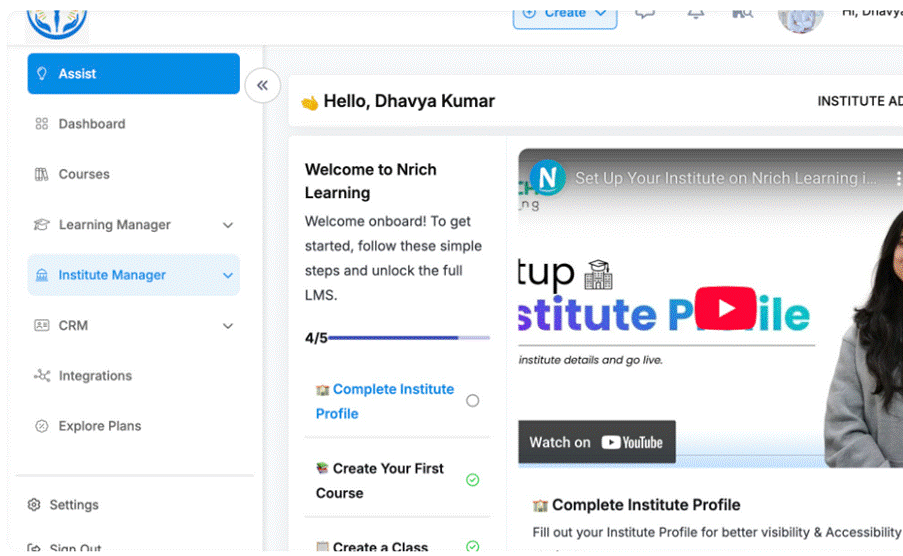
- Go to ‘Institute Manager’-> then Institute Profile

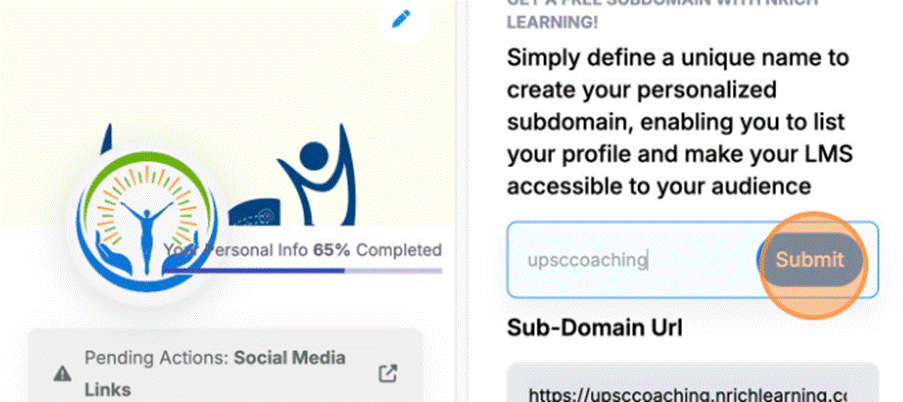
- Click on Enter your SubDomain field & fill it

- Click on the submit button
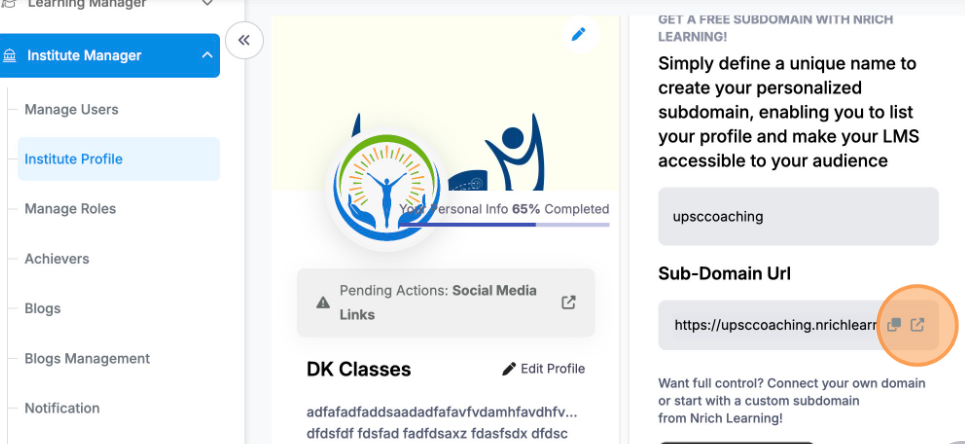
- Click on the arrow icon
This will land you to subdomain url Website
Was this article helpful?
YesNo
Last modified: October 15, 2025