Need to upgrade or start using the lead management / CRM module in your Nrich Learning platform? Here’s how you can buy the CRM plan step by step, hassle-free.
Steps to Purchase the CRM Plan
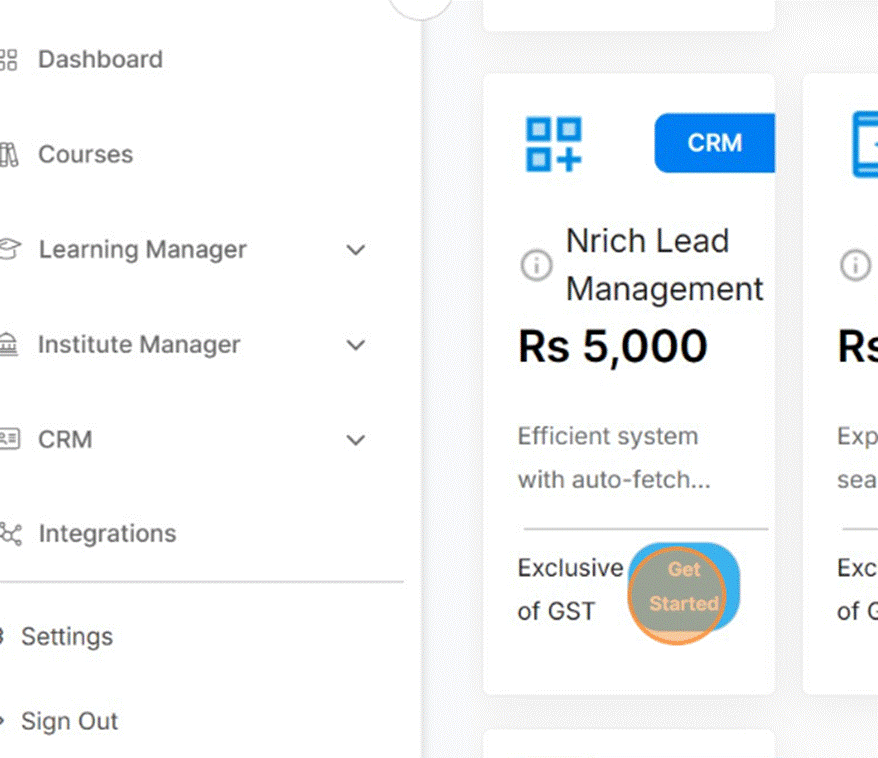
- Go to Explore Plans / CRM Section
After logging in, navigate to Explore Plans (or CRM section) in the sidebar or dashboard. - Find the Lead Management Plan
Look for the plan labeled Lead Management / CRM.
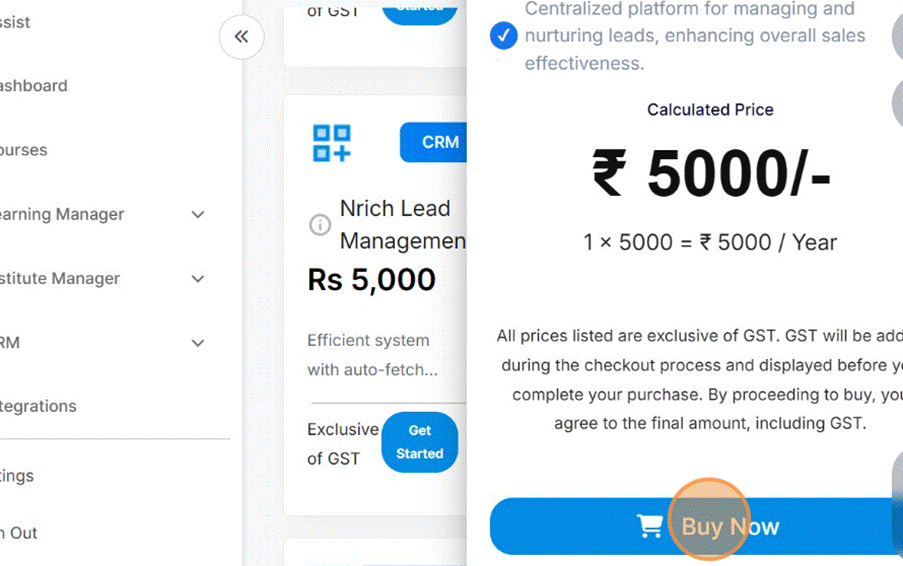
- Click “Get Started” or “Buy Now”
On the CRM plan card, click Get Started or Buy Now to begin.
Select Quantity / Tier
Choose how many units or the level of the CRM plan you need (for example, quantity = 1).
- Enter GST Number (if applicable)
If you have a GST number, input it in the field provided (this is optional but useful for invoicing).
- Click “Proceed to Pay”
Move ahead to payment by clicking Proceed to Pay.
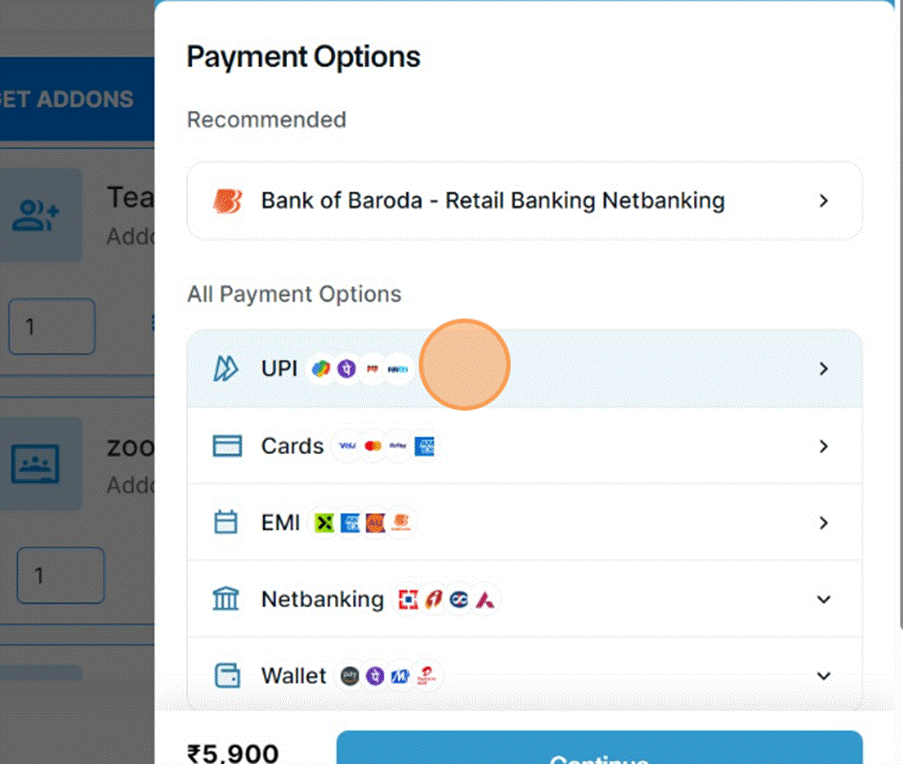
- Choose Payment Method
Select your preferred method — in many cases UPI, or other supported options.
Provide Payment Details
For UPI, enter your UPI ID (e.g. yourid@bank). Then click Continue.
- Confirm the Transaction
You’ll be redirected to your payment app / gateway — approve the transaction.
- Payment Success Notification
After the payment is complete, you should see a message like “Payment done successfully.”
- View Purchased Add-ons
Click See Your Purchased Addons to verify what you’ve bought.
Was this article helpful?
YesNo
Last modified: October 15, 2025