
If you want your Nrich Learning site to run under your own domain (e.g. learn.yourcompany.com), here’s how to add it and complete payment.
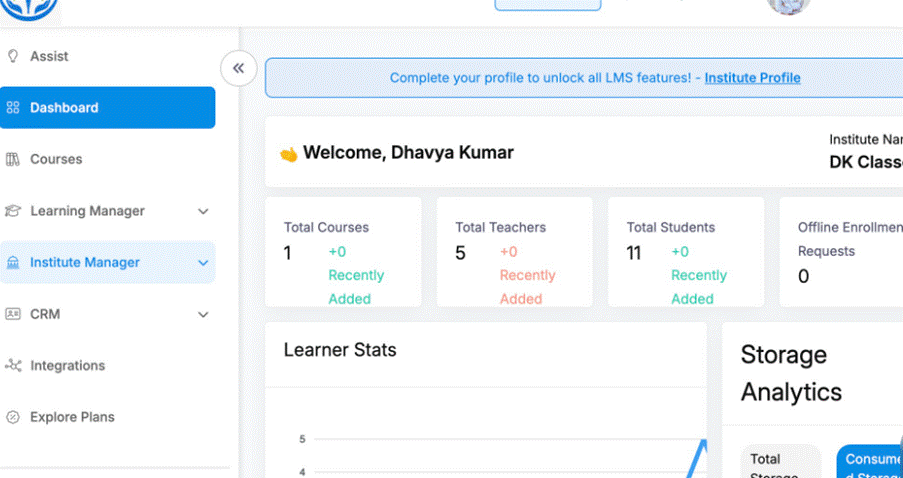
Steps to Add Your Domain & Pay
- Go to Dashboard -> Institute Manager ->Institute Profile
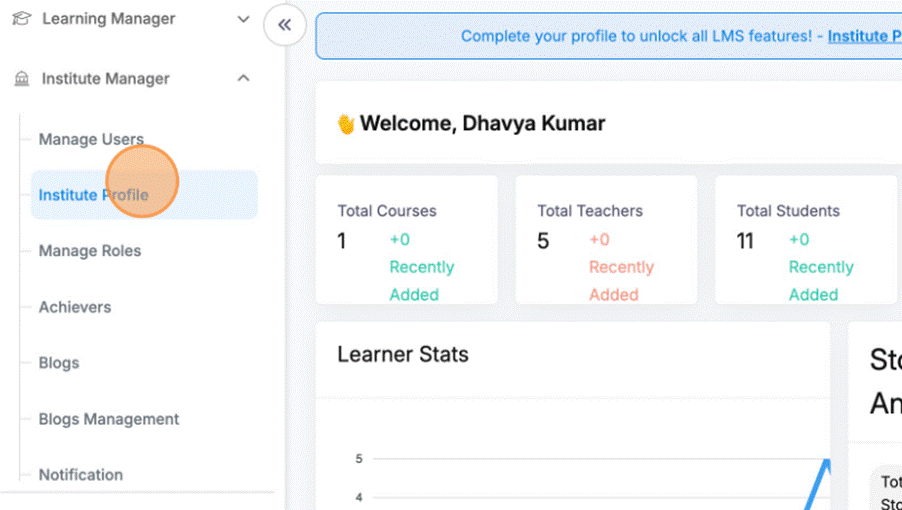
- Click “Add Domain”
Use the “Add Domain” or “Add Custom Domain” option to begin the setup.
- Confirmation pop -up appears
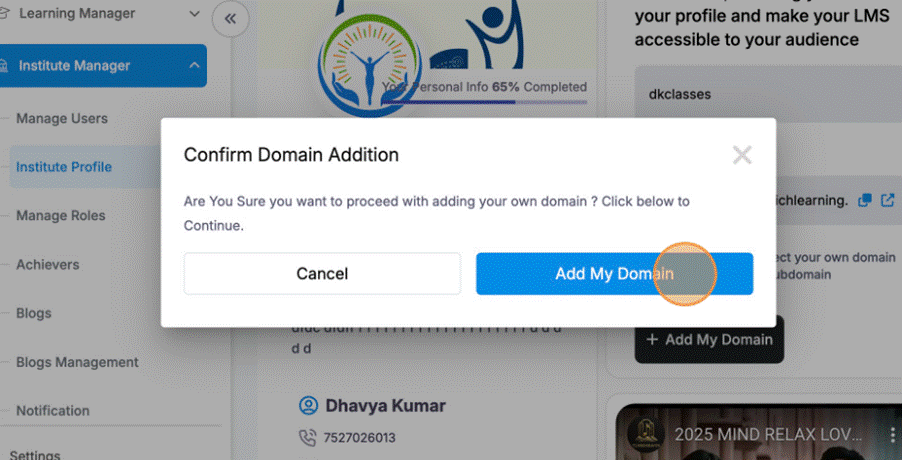
- Click on Buy now
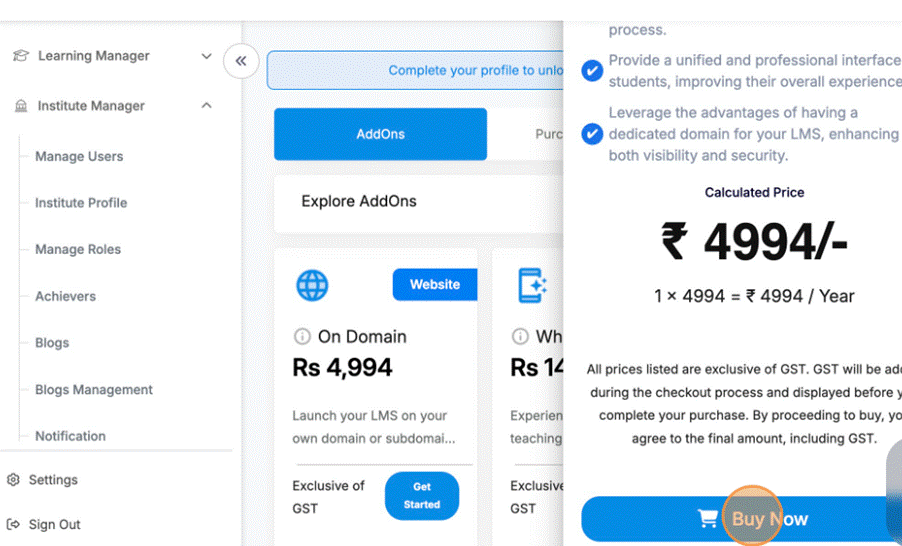
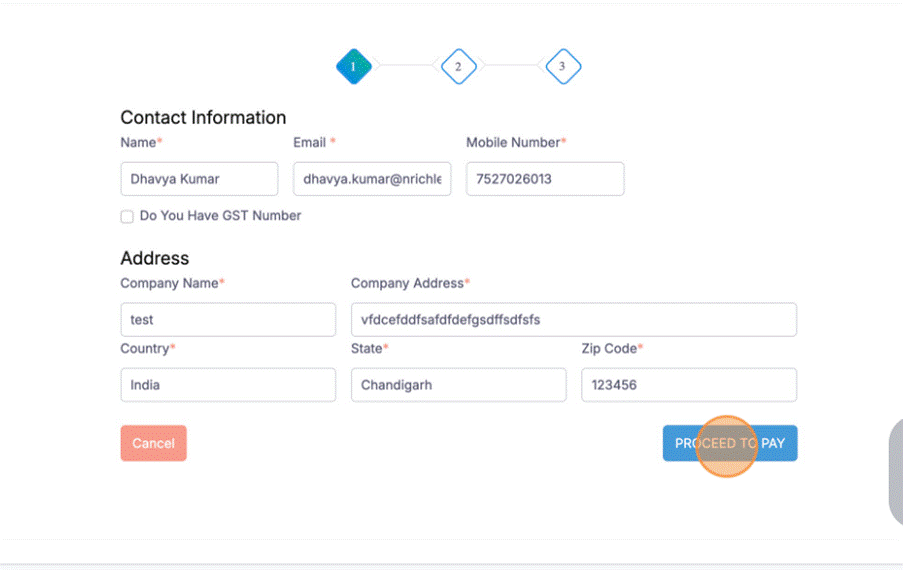
- Fill all information & click on – Proceed to Pay
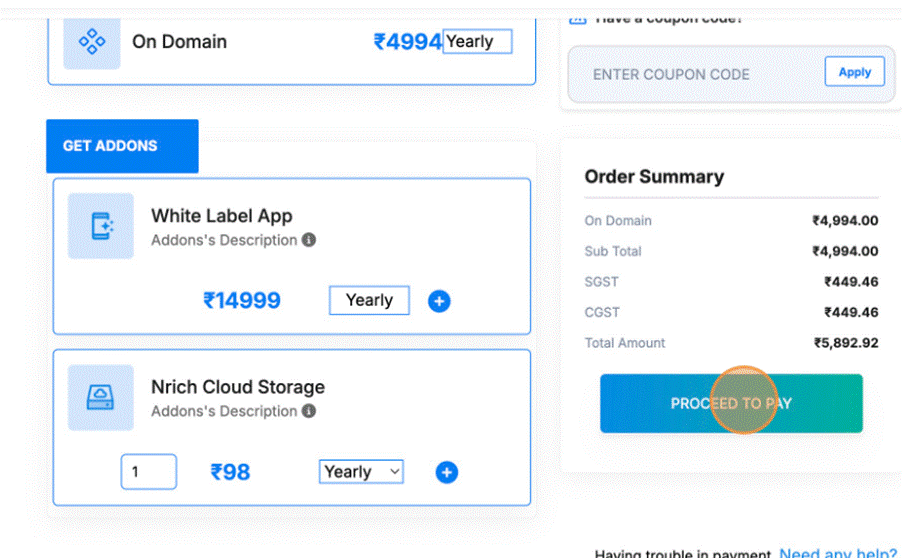
- Again click on Proceed to Pay
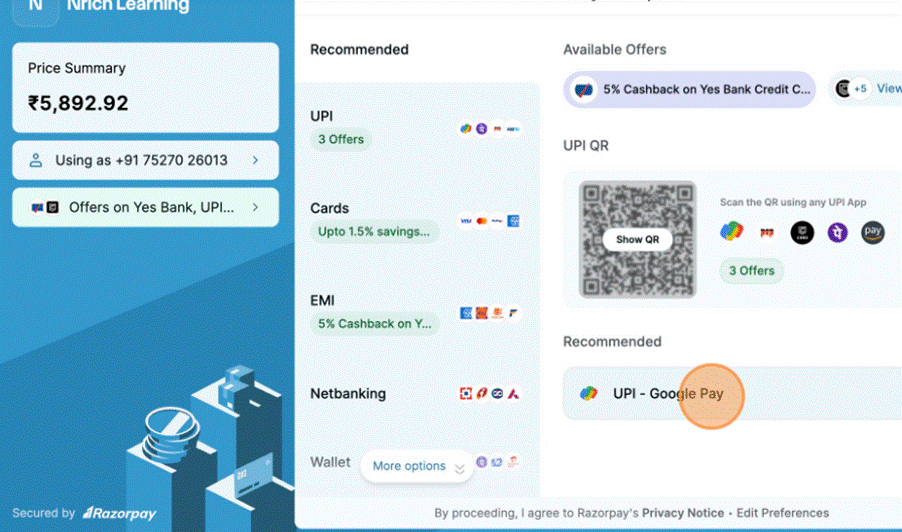
- Select Payment Method
Choose among the available payment options: UPI, card, etc. - Complete the Transaction
Authorize the payment in your bank / UPI app. Wait for confirmation. - Payment Confirmation
You should see a “Payment done successfully” or similar notification.
Was this article helpful?
YesNo
Last modified: October 15, 2025