
Want your own branded (white-label) mobile app for your learning platform? Here’s how to buy that white-labelled app plan in just a few clear steps.
Step-by-Step Guide to Buy the White-Labelled App Plan
- Go to Explore Plans / App Section
Log in to your Nrich Learning dashboard, then navigate to Explore Plans or White-Label App section.
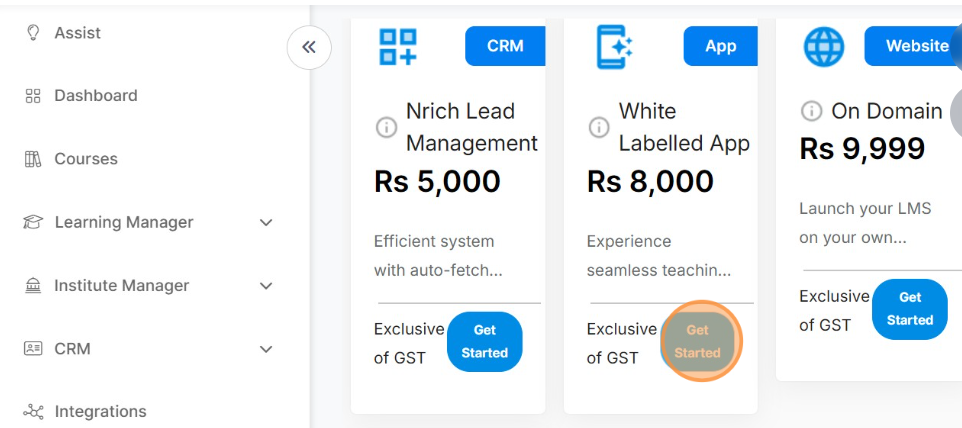
- Click “Get Started” / “Buy Now”
On the plan’s card or section, click Get Started (or Buy Now) to begin the purchase.
Choose Quantity / Tier
Select “1” (or the number of apps/units you need).
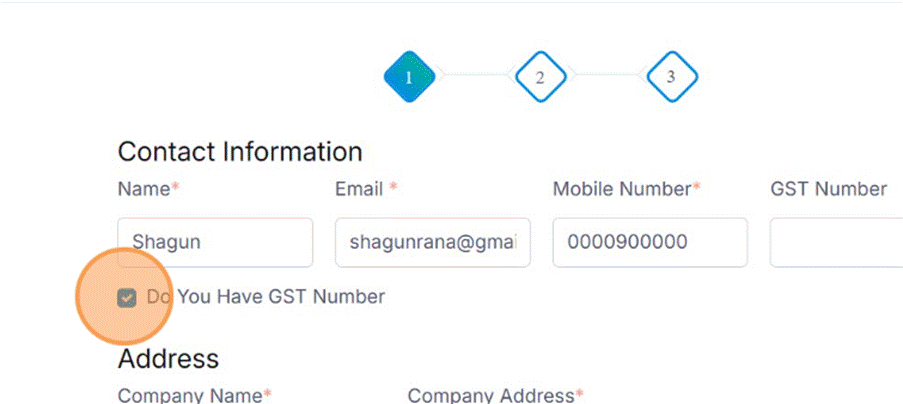
- Enter GST Number (if applicable)
If your organization has a GST number, fill it in (optional, but helps with invoicing)
- Proceed to Payment
Click Proceed to Pay to move to checkout.
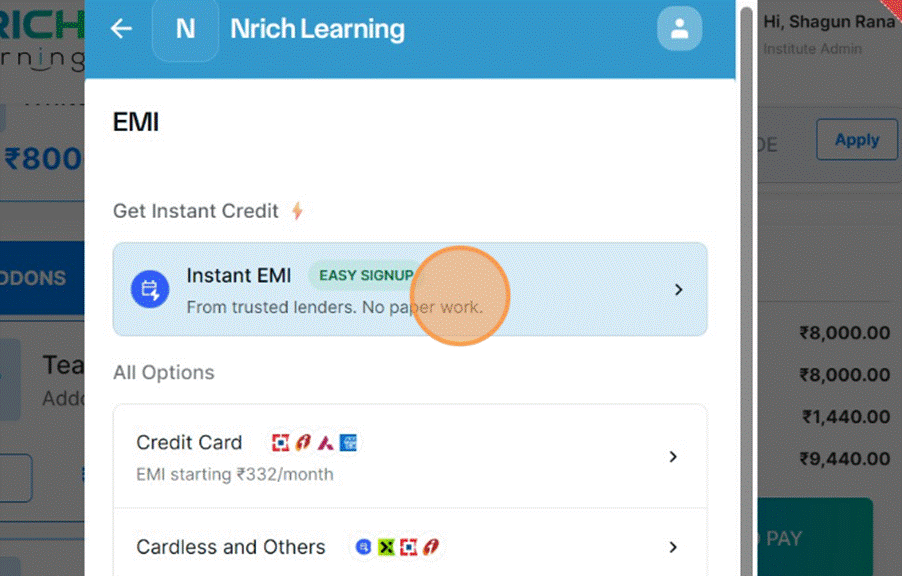
- Select Payment Method
Choose your preferred payment method (for example, UPI, or any other supported option).
- See “Payment Successful”
You should see a confirmation such as “Payment done successfully.” - Check Purchased Add-Ons
Click See Your Purchased Addons to view the white-label app plan you just bought. - Additional information will come like this
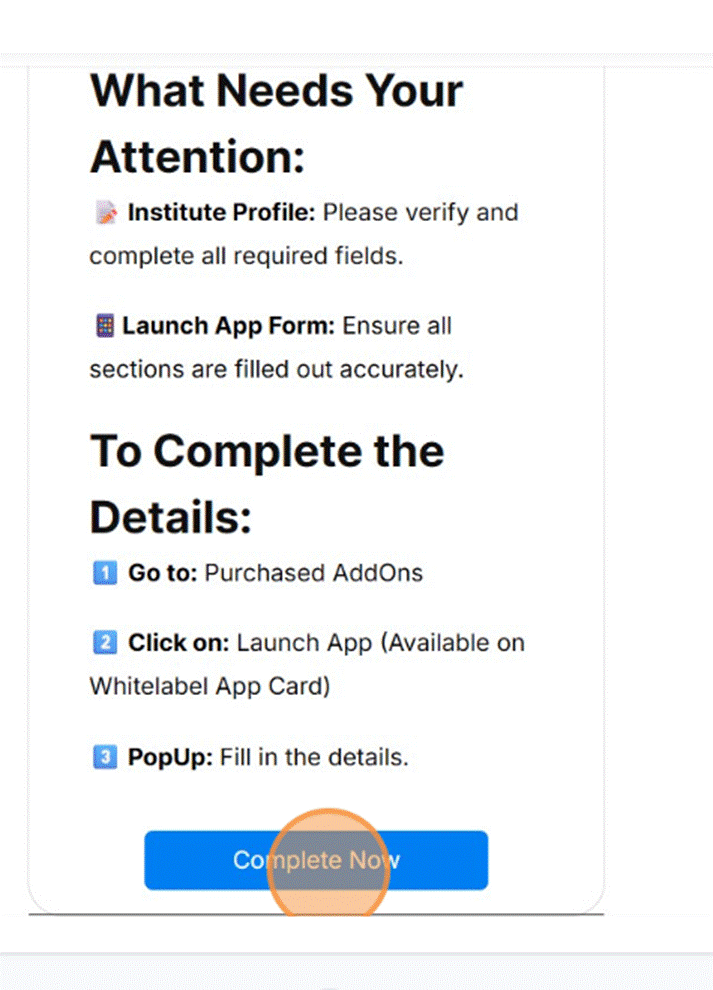
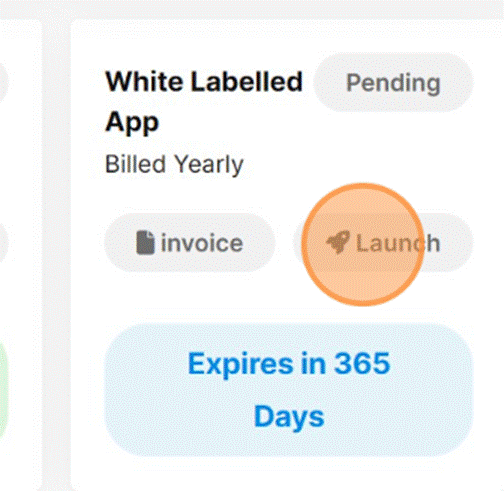
9. You can launch with this icon present here
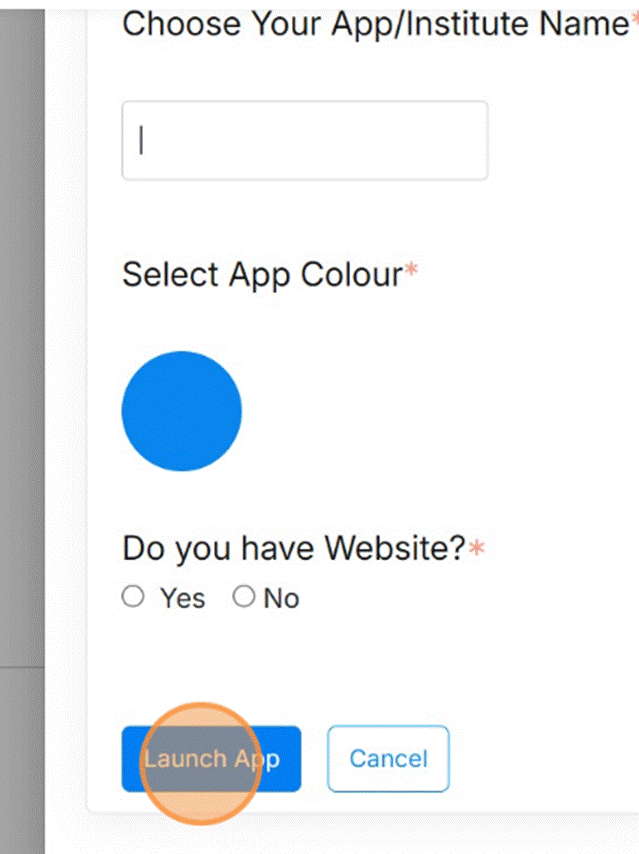
10. Enter name and details to launch the app
Was this article helpful?
YesNo
Last modified: October 15, 2025