
Follow these precise steps to buy and activate a Zoom plan without missing anything.
- Open Explore Plans
From the dashboard, open Explore Plans (usually in the main menu or billing section). And choose zoom plan
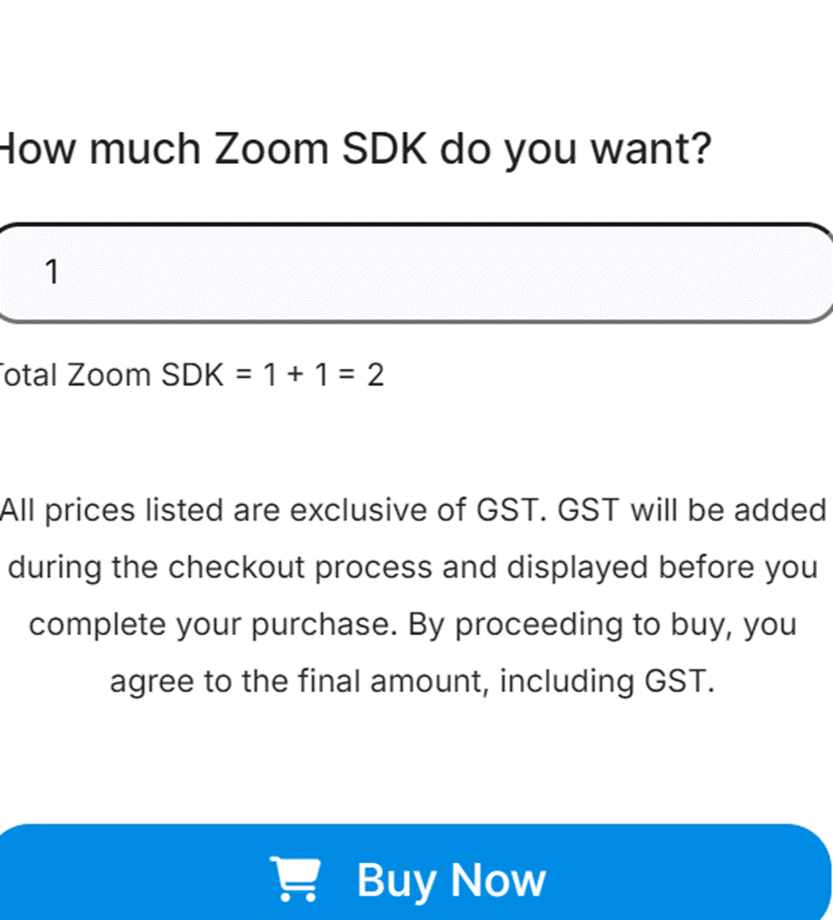
- Click Get Started / Buy Now
Click Get Started on the Zoom plan card and then select Buy Now to begin the checkout flow. - Choose plan options
Select plan details such as duration (monthly/annual), number of licenses/seats, or any tier/options shown. Confirm quantity and pricing on the summary. If additional features or add-ons are offered (extra seats, recordings, etc.), choose them now or skip if not needed.
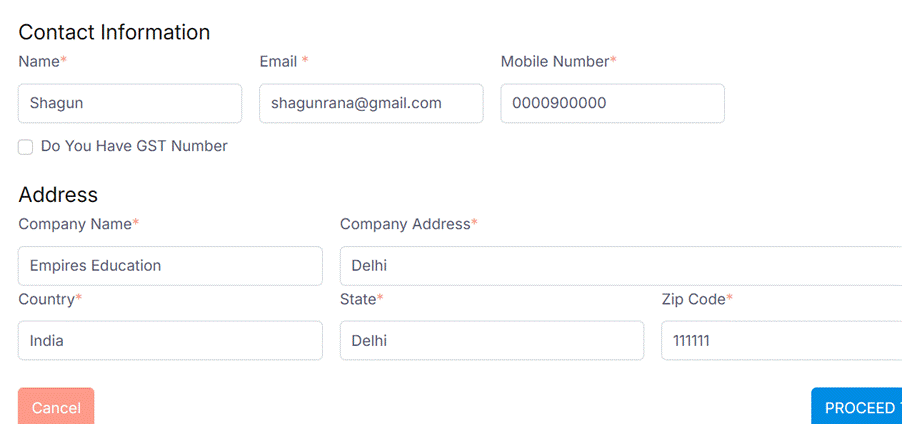
- Apply coupon code (optional) & GST details
Enter any coupon code in the coupon field and apply it. Confirm the discount appears in the order summary. Provide GST or company billing details if applicable so the invoice is issued correctly.
- Review order summary
Verify final price, taxes, selected seats/options, and billing details before proceeding.
- Confirm payment success
Wait for the payment confirmation screen. Note the transaction reference or order ID shown on success.

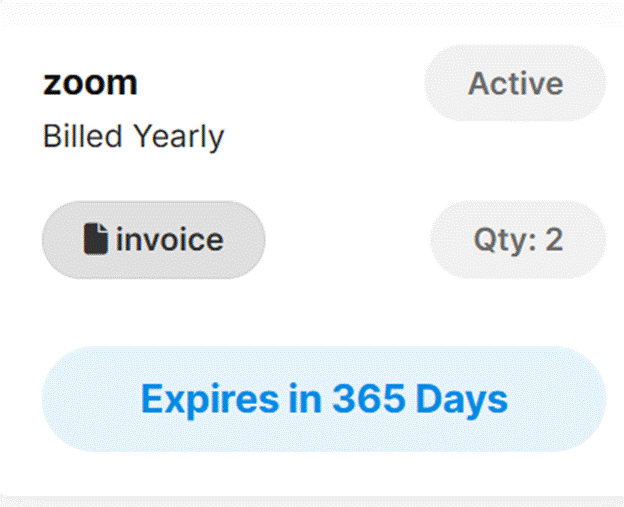
- View purchased add-ons
Go to See Your Purchased Addons (or Purchased Plans/Add-ons) to confirm the Zoom plan appears in your account.
Was this article helpful?
YesNo
Last modified: October 15, 2025