
The Explore Plans section helps you manage your subscription, view Add-Ons, and purchase new ones. Follow these steps to navigate it:
Steps to Access and Use Explore Plans
- Log in to your NRICH Learning account
Go to your admin dashboard.
- Click on “Explore Plans”
This will open the Explore Plans page. - Check your current plan
- View details of your active subscription.
- Compare with other available plans if you want to upgrade.
- View details of your active subscription.
- Go to the “AddOns” tab
- Here you can see all extra features available.
- Click Purchased AddOns to track what you already own.
- Here you can see all extra features available.
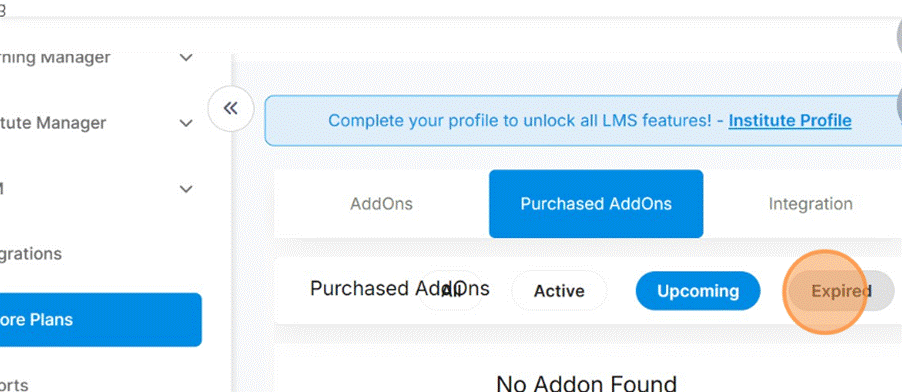
5. Understand the three AddOn tabs
- Active → AddOns currently in use.
Upcoming → AddOns that will activate later.
- Expired → AddOns that are no longer active.
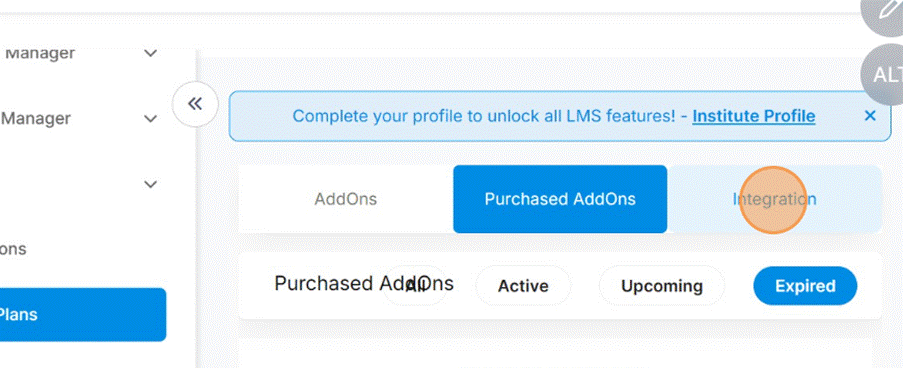
6. Click on “Integration”
For any Add-On, click Integration to explore its details and pricing.

7. Choose Monthly or Yearly billing
Select the plan that suits your budget.
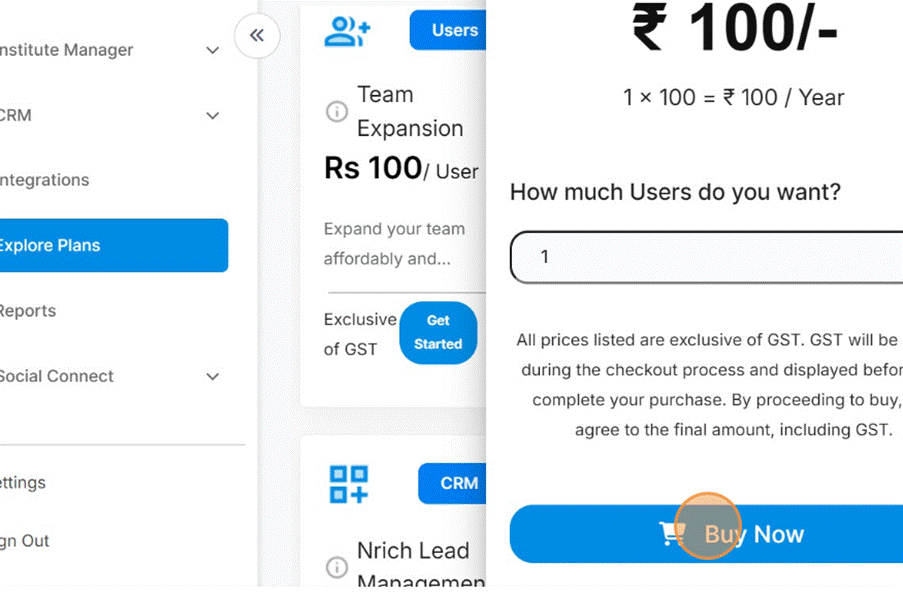
8. Click “Get Started” → then “Buy Now”
Finalize your purchase .
Was this article helpful?
YesNo
Last modified: October 15, 2025