Your profile on Nrich Learning is more than just a login—it represents your identity to students and learners. Keeping your personal, education, and career information up to date helps build trust and credibility. Here’s how you can do it step by step.
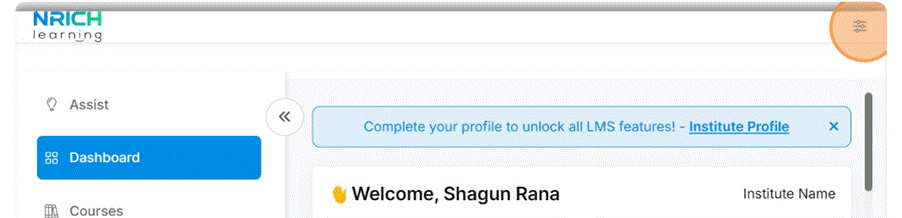
Step 1: Go to Your Dashboard
Log in and head straight to your dashboard. From here, you can access all settings related to your profile.
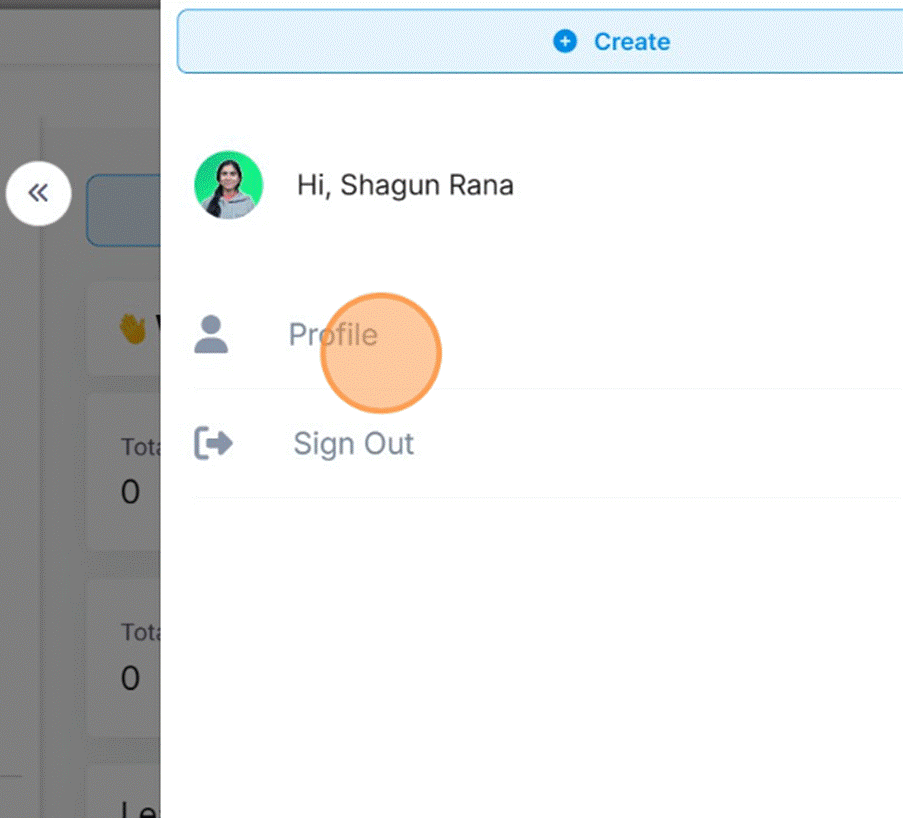
Step 2: Open the Profile Section
Use the sidebar to navigate to Profile. This is where all your personal and professional details are managed.

Step 3: Select Personal Info
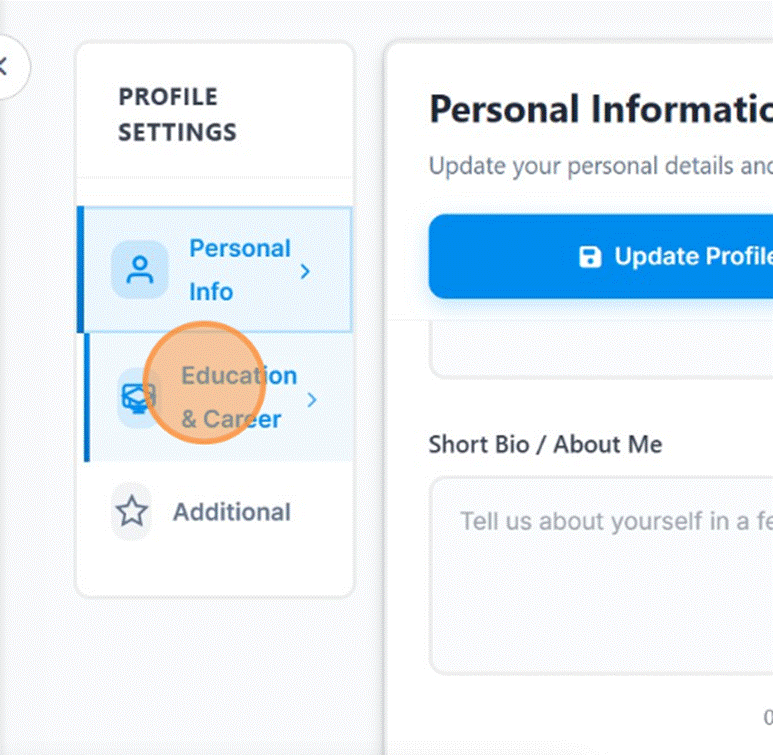
Click on Personal Info. Here you’ll see options to update your basic details as well as education and career tabs.
Step 4: Update Education and Career Details
Move to the Education & Career tab. Add your qualifications, work experience, or any additional information that reflects your background.

Step 5: Add additional information
With this you can update extra info like hobby and skills
Once you’re done, review the details and click Update Profile. Your information is now saved and visible in your account.
Last modified: October 15, 2025